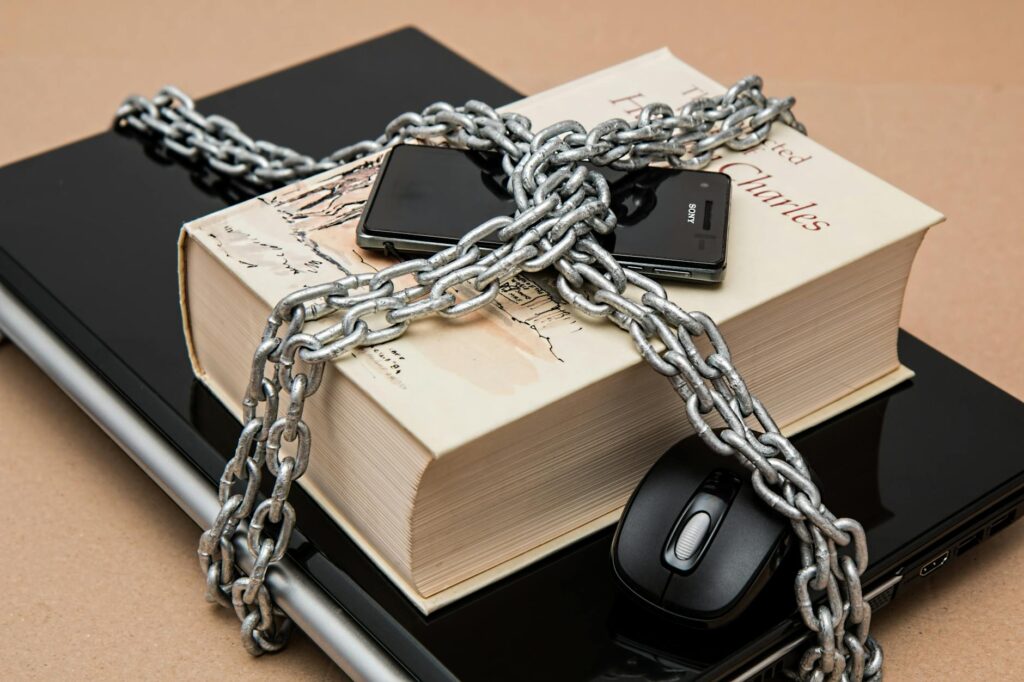
You reuse the same password. You know you do. It’s some variation of a pet’s name and a year, and it’s quietly sitting on the login page of your email, your bank, and that one forum you joined in 2014 and forgot. You tell yourself it’s fine because nothing’s happened yet. The trouble is that “yet” is doing an enormous amount of work, and the moment one of those sites gets breached, that single password becomes a key that opens every door you own at once. If you are still reusing passwords, a manager like NordPass generates and stores unique ones so one data incident cannot unlock everything.
The short version: Bitwarden is an open-source, zero-knowledge password manager — meaning the encryption happens on your device and the company’s servers only ever store an encrypted blob they cannot read. It’s the only major commercial vault you can fully inspect, audit, and self-host, with formal third-party audits from Cure53 published in full. Your master password is stretched with PBKDF2-SHA256 at 600,000 iterations (or memory-hard Argon2id), so even a stolen vault resists offline cracking. The free tier is genuinely free; Premium is $10 a year and adds built-in authenticator codes. For anyone who wants verifiable security over marketing promises, it’s the strongest default choice available.
Why password reuse is a single point of failure, not a habit
Here’s what most security advice gets backwards. It treats your weak passwords as a discipline problem — you should try harder, you should remember more, you should care. So you feel guilty, install nothing, and change nothing.
Get the free "Secure Your Accounts in 30 Minutes" checklist by email. You will also get four short follow-up emails over about two weeks (passwords, two-factor, optional tools, a recap). One of them includes affiliate recommendations: if you buy through our links we may earn a commission at no extra cost to you. Unsubscribe in one click, any time.
By subscribing you agree to receive this checklist and a short email series from The Unhacked (Dr. AshR), including affiliate recommendations, at the address you enter. See our Privacy Policy.
The reuse isn’t a character flaw. The average person holds around 227 online accounts. No human brain stores 227 unique high-entropy strings. You were handed an impossible memory task and then blamed for failing it. That’s the trap: a system built so that the only way to cope is to recycle, and recycling is exactly the behaviour that turns one data incident into a cascade.
When one site leaks and your reused password lands on a “combo list,” attackers don’t guess — they replay. They feed that email-and-password pair into automated tools that test it against your bank, your inbox, your crypto exchange, all at once. One data incident anywhere becomes a data incident everywhere, and the only fix is to stop being the thing that remembers. Hand the remembering to a vault, and the chain breaks.
What the LastPass data incident actually proved about closed-source vaults
The password-manager market was supposed to solve this. For years, LastPass was the default — over 33 million users trusted it. In August 2022 an attacker breached its development environment. By November they returned and extracted encrypted vault data for every customer on record. The company minimised the disclosure for weeks. Then the offline cracking began.
The damage wasn’t bad luck. LastPass had defaulted to a PBKDF2 iteration count of 1 for many older accounts — a setting that made their servers faster, not your vault safer. Iterations are the deliberate slowness baked into key derivation; each one forces an attacker to do more work per guess. At an iteration count of one, that slowness is gone. Vaults belonging to users with weak master passwords cracked in minutes on consumer hardware, and documented cases emerged of crypto wallets drained and accounts accessed inside 24 hours of the data incident.
The reframe sits here: a closed-source vault asks you to trust a promise, while an open-source one hands you a proof. With LastPass, nobody outside the company could see that the iteration count was set for server economics rather than user safety until the vaults were already cracked. You cannot audit a black box. You can only find out the hard way.
Why open source is a security requirement, not a philosophy
When code is closed, you cannot verify the encryption is implemented correctly. You cannot confirm no backdoor was added in a sprint. You cannot check whether the key-derivation parameters protect you or just lower a hosting bill. You extend unconditional trust to a company whose incentives can quietly diverge from yours the day a government request, an acquisition, or a budget cut arrives.
When code is open, the global security research community reads every cryptographic call and every transmission path. Flaws that would hide for years in a closed codebase surface in public and get patched. Bitwarden’s server, web clients, browser extensions, desktop apps, and mobile clients are all open source on GitHub.
That openness isn’t theoretical. Cure53 — an independent German security firm — formally audited Bitwarden’s clients in 2018 and again in 2022, and the findings were published in full, including the vulnerabilities they found and the fixes that followed. That kind of accountability simply does not exist for the closed-source competition. You cannot read 1Password’s encryption implementation or audit Dashlane’s key derivation. You’re reading their marketing, not their mathematics.
How Bitwarden’s zero-knowledge architecture protects your vault
Zero-knowledge means Bitwarden’s servers never receive your plaintext anything. Encryption and decryption happen entirely on your device. The chain runs like this:
- Your master password never leaves your device in plaintext.
- It’s stretched with PBKDF2-SHA256 (600,000 iterations as of 2023) or Argon2id to derive an encryption key.
- That key encrypts your vault with AES-256 before it’s ever transmitted.
- Bitwarden’s server stores and syncs an encrypted blob it cannot read.
- On a new device, the encrypted vault downloads and is decrypted locally, after you enter the master password.
The iteration count isn’t a footnote — it’s the mechanism that decides whether your vault survives an offline crack. LastPass left it at 1 for years. Bitwarden defaulted to 100,000, raised it to 350,000 in 2023, then to 600,000. Argon2id, available in your account security settings, is memory-hard — it forces an attacker’s hardware to spend memory as well as time, which neuters the GPU clusters that make brute-forcing cheap. The single best free move you can make today: open settings, switch your KDF to Argon2id, done.
Self-hosting Bitwarden: the ceiling of credential autonomy
Bitwarden supports full self-hosting through its official server stack, and the community-maintained Rust rewrite, Vaultwarden, runs on as little as 256MB of RAM — comfortably on a Raspberry Pi. When you self-host, your encrypted vault never touches Bitwarden’s infrastructure at all. Sync runs against your own server, behind your own firewall, under your own domain.
That removes the last residual risk: the chance that Bitwarden the company is itself breached, acquired, or compelled by court order to hand over data. If the server is yours, that surface doesn’t exist. The honest trade-off is real, though — self-hosting wants Docker, a domain, and a reverse proxy, plus the responsibility of backing it up yourself. If you skip a backup and your hardware dies, no support line is coming to rescue your vault. For most people the hosted version is the right call; self-hosting is there the day you want the ceiling, not a requirement for the floor.
Bitwarden free vs Premium: which features actually matter
The free tier covers what most people need: unlimited passwords, unlimited devices, secure notes, identity and card storage, and sharing with one other person. This is a real free product, not a 30-day countdown.
Premium is $10 a year and adds:
- Built-in TOTP authenticator codes inside the vault (so most accounts no longer need a separate authenticator app)
- 1GB of encrypted file attachments
- Hardware-key 2FA support (YubiKey, FIDO2)
- Emergency access for a designated contact
- Vault health reports that flag weak, reused, or breached passwords
The TOTP integration alone earns the $10 — collapsing your second factor and your credential store into one encrypted place. The Families plan is $3.33 a month for six users; Teams is $4 per user per month with SSO and directory sync; Enterprise adds SCIM provisioning and advanced audit logging.
There’s an honest caveat on storing TOTP in the same vault as the password: it’s slightly less ideal than a fully separate second factor, because both factors live behind one master password. For most risk signal models the enormous gain in actually using 2FA everywhere outweighs that purity argument — but if you’re a high-value target, keep your most critical second factors on a separate hardware key.
How Bitwarden compares to 1Password, Dashlane, Proton Pass, and KeePass
| Product | Open source | Self-host | Annual cost (Premium) | Key limitation | |—|—|—|—|—| | Bitwarden | Yes | Yes | $10 | UI less polished than 1Password | | 1Password | No | No | $35.88 | Closed source; trust required | | Dashlane | No | No | $59.88 | Closed source; bundled VPN is weak | | Proton Pass | Yes | No | Free / Premium varies | Newer; fewer audit cycles | | KeePass | Yes | Manual only | Free | No cloud sync; impractical for mobile |
1Password has the better interface and stronger enterprise features, and its Travel Mode — which hides selected vaults when you cross a border — is a genuine capability. But it’s closed source with no self-host option, so it fails the transparency test on its own terms.
Dashlane has a clean interface and dark-web monitoring, but at $59.88 a year it costs roughly six times Bitwarden Premium, and its bundled VPN is a Hotspot Shield rebrand, not a serious privacy tool.
Proton Pass is open source, Swiss-hosted, and includes email-alias generation — a real identity-hygiene feature Bitwarden lacks. It’s a newer product with a shorter audit history, but it’s the one serious alternative for someone who wants open source with a built-in identity layer, especially if you already live in the Proton ecosystem.
LastPass is no longer defensible after 2022, and KeePass, while fully local and open, demands manual sync and backup that most people won’t sustain across devices.
The sovereign verdict on Bitwarden
On balance, Bitwarden earns roughly 91/100 as a credential vault — and the score is built from things you can verify, not things you’re asked to believe.
- Sovereignty: self-hosting is the ceiling of credential autonomy, and no other major manager offers it.
- Security: AES-256, Argon2id support, PBKDF2 at 600,000 iterations, and formal audits with published results.
- Usability: reliable cross-platform coverage and autofill, with minor friction in onboarding and a less refined UI.
- Value: the best free tier in the category, and $10/year is the most competitive pricing in security software.
- Transparency: fully open source across every client and the server, with audits anyone can read.
The honest caveat: it isn’t the most beautiful app you’ll use, and if interface polish is the thing that decides whether you’ll actually adopt a password manager at all, 1Password may win on that single axis. But polish is a feeling. Auditability is a fact.
Frequently asked questions
Is Bitwarden actually safe if the company gets breached?
Yes, with a strong master password. Because of the zero-knowledge design, a server data incident only exposes encrypted blobs — the attacker still has to crack your vault offline, and PBKDF2 at 600,000 iterations or Argon2id makes that prohibitively slow for any reasonable master password. The LastPass disaster happened largely because of weak default iteration counts; Bitwarden’s defaults are set the other way. The one thing in your hands is the master password: make it long.
Is the free version of Bitwarden good enough?
For most people, yes. Unlimited passwords across unlimited devices, secure notes, and card storage are all free. You’d upgrade to the $10/year Premium mainly for built-in authenticator codes, hardware-key 2FA, and vault health reports — useful, but not required to get the core security benefit of unique passwords everywhere.
Should I self-host Bitwarden or use the official cloud?
Use the official cloud unless you specifically want to remove the company from your trust chain. Self-hosting (via the official server or Vaultwarden) means your vault never touches Bitwarden’s infrastructure, but you take on Docker, a domain, a reverse proxy, and — critically — your own backups. If you’d struggle to maintain a server, the hosted version is genuinely secure by design.
Is Bitwarden better than 1Password?
On transparency and price, clearly — Bitwarden is open source, auditable, self-hostable, and a fraction of the cost. On interface polish and certain enterprise features, 1Password is ahead. If you weight verifiable security and sovereignty, Bitwarden wins; if you weight a refined experience and features like Travel Mode, 1Password is the closer call.
You started reading this because some part of you already knew the reused password was a problem you’d been quietly outrunning. That instinct was right — and the fix is smaller than the guilt suggested. You don’t need perfect memory or a security degree. You need one vault you can actually inspect, a master password long enough to outlast a GPU cluster, and an afternoon to import the chaos you already have. Do that, and the next data incident in the news stops being a thing that can reach you. You’re not careless with security. You were just never given a tool you could trust — and now you hold the keys instead of renting them. More in Digital Sovereignty →
The Signal - free dispatch
One practical email that makes your digital life calmer. Checklists, tool cautions, plain-English decisions. No noise.
Free. No spam. Unsubscribe any time.
Join the Inner Circle
Weekly dispatches. No algorithms. No surveillance. Just sovereign intelligence.
Zero spam · Fully private · Sovereign by design.