You signed up for the free email, the free maps, the free photo backup, and it felt like getting something for nothing. It wasn’t nothing. Somewhere there’s a file on you — your searches, your locations, your messages, the shape of your whole life — and it’s worth more to the companies holding it than the balance in your bank account. You didn’t pay with money. You paid with yourself, and you’re still paying, every day, without seeing the invoice.
The short version: Digital sovereignty means taking ownership of your data through five layers — operational security (risk signal modelling), self-hosting your critical assets, encrypting all communications, obfuscating your network identity, and hardening your hardware. The shift it describes is from being the product to being the owner. You don’t do it all at once; you pick one asset, protect it properly, and build the perimeter one layer at a time.
Why the free service model is actually the hack
Here’s the con, stated plainly. The greatest trick sold to the modern world was the promise of free digital services. You pay zero. In the exchange, you stop being the customer and quietly become the inventory — your moves tracked, your preferences modelled, your political and social leanings packaged and sold.
Get the free "Secure Your Accounts in 30 Minutes" checklist by email. You will also get four short follow-up emails over about two weeks (passwords, two-factor, optional tools, a recap). One of them includes affiliate recommendations: if you buy through our links we may earn a commission at no extra cost to you. Unsubscribe in one click, any time.
By subscribing you agree to receive this checklist and a short email series from The Unhacked (Dr. AshR), including affiliate recommendations, at the address you enter. See our Privacy Policy.
That reframe is the whole point of being unhacked. It’s the move from using technology to controlling it. Once you see that “free” meant “you are the product,” you can’t unsee it — and that discomfort is the beginning of getting your life back.
privacy practice foundations: start with risk signal modelling
Operational security isn’t software you install. It’s a behavioural discipline. Most data incidents don’t come through clever technical abuses — they come through human leaks, the person rather than the firewall. So your first move costs nothing but honesty: build a risk signal model by answering five questions.
- Who is the adversary? An ISP, a tech platform, a government, a competitor, a random attacker?
- What are you protecting? Email, financial records, location, communications?
- Where are you vulnerable? Weak passwords, oversharing, centralised services?
- What’s the actual risk level? Mild inconvenience, or life-altering exposure?
- What’s the cost of failure? Identity theft, financial loss, reputational harm, physical danger?
For most people building sovereignty, data is a top-tier asset, and you shrink your risk surface by reducing how many centralised services you touch. Notice what the five questions do: they replace vague anxiety — am I being watched? — with a concrete map of who, what, and how much it would actually cost you. That map is what stops you from either ignoring the problem entirely or over-engineering a defence against risk signals you’ll never face. Most people need protection from mass commercial surveillance and the occasional opportunist, not from a nation-state — and knowing which one you’re up against decides every choice that follows.
Identity separation is non-negotiable. Don’t run a single identity across your whole digital life. Compartmentalise — your public persona, your financial identity, and your private communications should never cross-pollinate — so that if one segment is breached, the rest survives intact. Aliasing services and privacy-hardened browsers make this routine rather than heroic.
The self-hosting protocol: bringing your data home
“The cloud” is someone else’s computer running their rules. Data sovereignty means bringing the cloud home — and for mission-critical assets like email, documents, and backups, that means you host them.
The sovereign server. Run open-source stacks like Nextcloud or Umbrel on private hardware at home or on a rented dedicated server. The guarantee that buys you: even if a major company is acquired, rewrites its terms, or shuts down, your data stays accessible and untouched. You stop asking permission to reach your own memory.
Encryption as the default state. Treat any unencrypted data as already leaked. Demand end-to-end encryption for everything that matters — email, file storage, messaging — because if the provider holds the keys, they have the privacy, not you. Use only tools where you are the sole key-holder.
The 3-2-1 backup standard. Keep three copies of critical data, on two different types of media, with one copy kept offline and air-gapped. That single rule defends against device failure, ransomware, and catastrophic loss at once. The air-gapped copy is the part people skip and later regret: ransomware can reach anything that’s connected, so the one drive that’s physically unplugged in a drawer is often the only thing that survives a bad day. It costs almost nothing and it’s the difference between an inconvenience and a catastrophe.
Network obfuscation: making your IP address invisible
Your IP address is a fingerprint you leave on every door you touch. Without obfuscation, your ISP logs your every movement and third-party trackers follow you across the web.
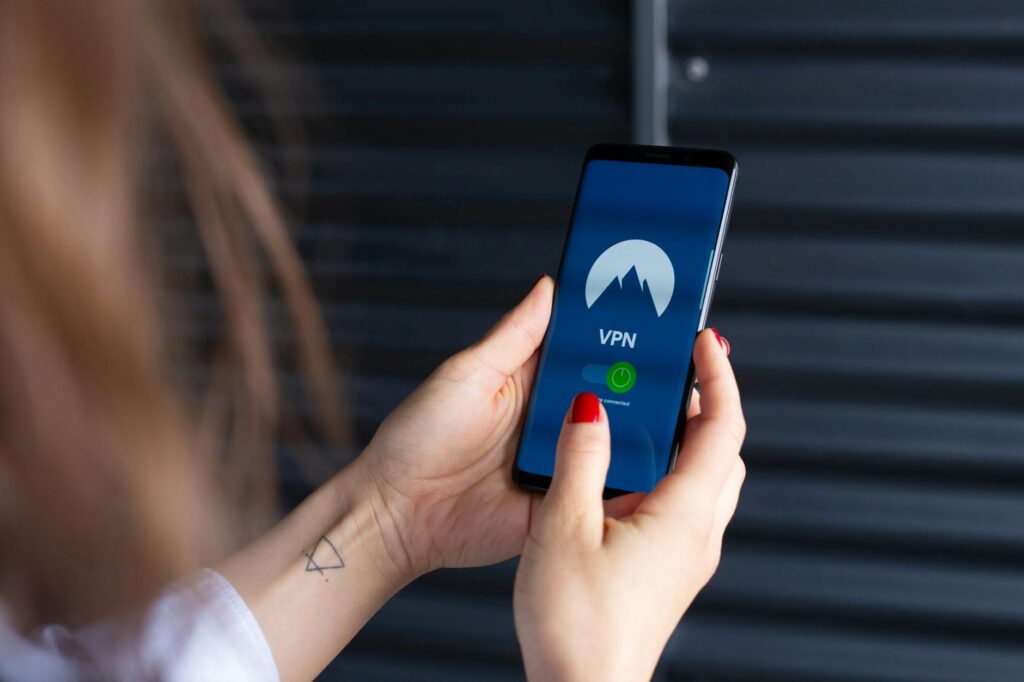
Layered defence — VPN plus Tor. Start with a high-performance, audit-verified VPN — Mullvad or Proton — for everyday browsing. Layer Tor on top for high-anonymity sessions where you need maximum cover. And never use a free VPN: their business model is the privacy violation you’re trying to escape, because they sell your traffic to survive.
MAC address randomisation. Switch on hardware-level MAC randomisation across your devices so local networks and trackers can’t identify your hardware by its signature. It’s a setting, not a project, and it closes a door most people never knew was open.
Worth being honest about the order here: network obfuscation is powerful but it is not invisibility, and treating a VPN as a magic cloak is how people get a false sense of safety. A VPN moves the trust from your ISP to the VPN provider — which is an upgrade only if the provider is genuinely audited and genuinely keeps no logs, which is exactly why “free VPN” is a contradiction in terms. Layer the tools to their actual strengths, name what each one does and doesn’t cover, and you get real protection instead of theatre. The goal isn’t to disappear; it’s to stop being trivially trackable by the systems that profit from following you.
The hardware fortress: the foundation of trust
Trust has to start at the layer underneath everything else — the hardware. Consumer devices are black boxes, often with back-doors baked in by manufacturers or governments, so wherever you can, prioritise de-googled hardware and open firmware.
Device choices that matter. For phones, consider privacy-focused systems like GrapheneOS or CalyxOS over stock Android or iOS. For laptops, choose open firmware and replaceable components. For servers, use commodity hardware without proprietary management engines — or deliberately compartmentalise anything running closed firmware.
Kill-switch hardware. Deploy physical kill-switches that disconnect camera, microphone, and cellular radios from the motherboard. This isn’t paranoia — it’s the recognition that software controls can be bypassed and hardware ones can’t. A switch you can flip with your thumb cannot be patched around remotely.
Is full digital sovereignty actually worth the effort? The honest trade-offs
The manipulative version of this manual would tell you it’s all upside. It isn’t, and the honesty about the cost is part of the credibility.
Self-hosting means you become your own IT department — when the home server goes down on a Saturday, no support line picks up. Encryption everywhere means remembering keys and managing your own backups, and a lost key is a lost asset with no recovery. Leaving the big “free” ecosystems costs convenience: the integrations are slicker, the search is faster, the family-sharing just works. Replacing Gmail and Drive with encrypted alternatives is an investment of hours and a little friction, paid upfront.
So here’s the honest verdict. For your highest-value assets — your communications, your financial records, your location — the trade is close to a no-brainer, because the downside of exposure is severe and the fix is one-time. For everything else it’s a deliberate exchange of a little convenience for a lot of control, worth it in proportion to how much you’d hate having that particular slice of your life sold. You don’t have to go all the way. You have to go further than “nothing,” and pick the layers that match your actual risk signal model rather than someone else’s fantasy of a bunker.
What happens if you only do part of this
Most people will never build all five layers, and that’s fine — partial sovereignty is still sovereignty. The point of the layered model is that each ring delivers value on its own. A risk signal model alone changes your behaviour for free. A VPN and MAC randomisation close the network door without touching your hardware. Self-hosting one asset — just your email — already removes a single company’s complete view of your correspondence.
The failure mode to avoid isn’t stopping at one layer. It’s doing nothing because the full stack looks daunting, then handing over everything by default. Default is the most expensive option you can choose; it just hides the bill. One layer beats zero, every time, and you can always add the next ring when you’re ready.
How the layers connect into one defence stack
None of these layers is a standalone trick. They’re concentric rings, each protecting the one beneath, and the deeper technical implementations build directly on the principles above — the unified operating-system logic (see The Sovereign Operating System) and the combined browser-and-VPN privacy mesh (see Mullvad Browser & VPN) sit on top of this foundation rather than beside it. For curated, independently reviewed privacy tools — VPN providers, encryption software, self-hosting platforms — the toolkit collects them without affiliate bloat.
Frequently asked questions
Is self-hosting too complicated for most people?
Not anymore. Platforms like Nextcloud and Umbrel have simplified self-hosting to the point where a non-technical person can spin up a home server in an afternoon. The barrier is psychological, not technical. Start simple — self-host one thing, like email, then expand.
Do I really need Tor if I’m already using a VPN?
It depends on your risk signal model. A VPN protects you from your ISP and local network observers; Tor protects you from the VPN provider itself and defends against correlation incidents that link your behaviour over time. If your adversary is a nation-state or you’re in a high-surveillance country, Tor adds critical protection. For everyday privacy, a good audited VPN suffices.
What if my cloud provider gets hacked?
That’s exactly why you encrypt before upload. With end-to-end encryption, the provider stores the encrypted blob, not the plaintext — so even if their servers are breached, attackers get nonsense. The keys are yours, not theirs.
How do I know if a privacy tool is actually trustworthy?
Look for open-source code that can be audited, independent security audits with published results, a clear no-logs policy with specifics, and jurisdictional independence outside the Five Eyes countries. Don’t trust claims alone — verify through third-party audits and user communities. The tools that matter have skin in the game: they use their own products.
Your move: reclaim your digital life
Digital sovereignty isn’t a destination you arrive at once and forget. It’s a practice — you build systems and habits that keep you unhacked, the way you’d maintain anything you intend to keep.
So don’t try to do all five layers tonight. Start with the risk signal model, because it costs nothing and changes how you see everything after it. Pick one asset to protect first — maybe your email, maybe your location. Self-host it. Encrypt it. Then add the next ring.
You came here paying an invoice you never agreed to, handing yourself over in exchange for things that were never really free. That ends the moment you decide the file on you belongs to you. You’re not a product to be modelled and sold — you’re the owner of your own digital life, building the perimeter one deliberate layer at a time. Lay the first one this week, and you’ve already stopped being inventory.
The Signal - free dispatch
One practical email that makes your digital life calmer. Checklists, tool cautions, plain-English decisions. No noise.
Free. No spam. Unsubscribe any time.