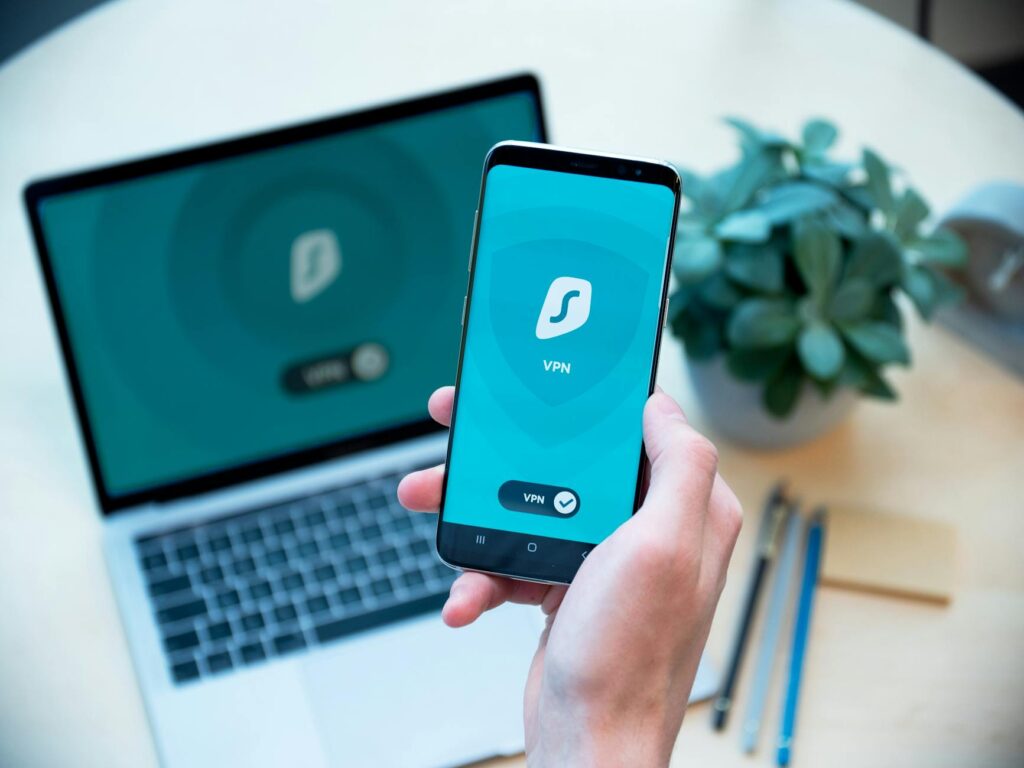
You turned on the VPN months ago and felt safe. The little shield icon, the reassuring “connected.” You browse, you shop, you read the things you’d rather no one knew you read, and you trust that the tunnel has you covered. It hasn’t. Right now, on this page, a few lines of quiet JavaScript have already measured your screen, counted your fonts, read your graphics chip, and stitched them into a number that is almost certainly yours alone. The VPN hid your IP. It did nothing about the part of you that was never an IP address in the first place.
The short version: A VPN hides your IP address but leaves your browser fingerprint — screen resolution, installed fonts, GPU, timezone, canvas signature — fully exposed, and that fingerprint can identify you across the whole web even after you disconnect. Mullvad closes both gaps with two tools. Mullvad Browser, built on Firefox with the Tor Project, forces every user to look identical to trackers by locking the window to 1280×720, normalising fonts, and randomising canvas. Mullvad VPN routes traffic through diskless, RAM-only servers under a random 16-digit account with no email, no name, no KYC. Used together they give you session isolation: anonymous at the network layer and the device layer at once. Setup takes about ten minutes; cost is roughly €5/month.
Why doesn’t a VPN hide you? The fingerprint your tunnel ignores
You were sold a clean story: turn on the VPN, become invisible. The story is half true, and the missing half is where you actually get caught.
Get the free "Secure Your Accounts in 30 Minutes" checklist by email. You will also get four short follow-up emails over about two weeks (passwords, two-factor, optional tools, a recap). One of them includes affiliate recommendations: if you buy through our links we may earn a commission at no extra cost to you. Unsubscribe in one click, any time.
By subscribing you agree to receive this checklist and a short email series from The Unhacked (Dr. AshR), including affiliate recommendations, at the address you enter. See our Privacy Policy.
A VPN moves your traffic through an encrypted tunnel and swaps your real IP for the server’s. Useful — it stops your internet provider reading your destinations and stops websites logging your home address. But your IP was only ever one thread of your identity. The browser carries a second one, and it follows you through any tunnel you build.
Open a normal browser behind even the most expensive VPN and it still announces, to every site, the exact pixels of your screen, the precise list of fonts you’ve installed, your graphics card’s rendering quirks, your timezone, and your language. That bundle is so specific it functions as a name. Clear your cookies, switch to a private window, hop to a new VPN country — the fingerprint stays the same. A VPN changes where your traffic appears to come from; it does nothing about who the browser quietly admits you are. That is the gap nobody mentioned when they sold you the shield.
How does browser fingerprinting work? The silent identity leak
Fingerprinting is the part of tracking that survives every defence you were told to use. It happens in milliseconds, without a cookie, without your knowledge.
When a page loads, scripts gather a handful of details your device hands over by design:
- Screen resolution and colour depth
- The list of fonts you have installed
- GPU model and WebGL capabilities
- Browser plugins and extensions
- Timezone and language
- A canvas signature — the unique way your hardware renders a hidden test image
None of these is secret on its own. Combined, they are devastatingly rare. Companies like Google and Meta, and the data brokers feeding them, cross-reference that combination with your IP, your email signup, and your behaviour to assemble a profile that persists even when you think you’ve wiped the slate. Researchers at the Electronic Frontier Foundation’s Panopticlick study found roughly one in three browsers could be uniquely identified by fingerprint alone, with no cookies involved. Incognito mode does not touch this. It hides your history from the person sharing your laptop, not your identity from the web.
Here is the reframe most privacy advice never reaches: you cannot win a fingerprinting fight by being more unique. Every extension you add, every font you install, every clever tweak makes you rarer — easier to single out. The only escape is the opposite of what your instinct says.
What makes Mullvad Browser different? The logic of looking identical
This is the turn, and it inverts everything. You don’t beat fingerprinting by hiding your details — you beat it by sharing the exact same details as thousands of other people, so the trackers can no longer tell you apart.
Mullvad Browser, built on Firefox in collaboration with the Tor Project, is engineered around that single idea: forced sameness. It does not try to make you mysterious. It makes you boringly, deliberately average.
Three mechanisms carry the weight:
Letterboxing. Your window is reported as a fixed size, snapping to standard dimensions like 1280×720. Resize it and the content gets bordered with empty space rather than revealing your true screen. Every user reports the same handful of sizes.
Font normalisation. Instead of broadcasting your personal font collection, the browser hands every site the same fixed subset. The thing that made you identifiable becomes the thing you share with the crowd.
Canvas and WebGL hardening. Canvas fingerprinting — where a site renders a hidden image to read your GPU’s signature — is disrupted per session, and WebGL is off by default, closing one of the strongest tracking vectors entirely.
On top of that it ships with first-party isolation so cookies can’t follow you between sites, DNS-over-HTTPS, HTTPS-only mode, no telemetry, and built-in tracker blocking. The practical effect: you load a page and it sees a fingerprint shared by a large pool of other Mullvad users. Tracking you stops being a lookup and becomes a guess — a statistically useless one.
Why is Mullvad VPN different? Non-KYC accounts and diskless servers
A privacy tool that knows who you are is a contradiction. Most VPNs are exactly that contradiction — they take your email, your card, sometimes your name, and ask you to trust that they’ll forget it. Mullvad removes the trust by removing the data.
No KYC, no identity. You don’t sign up with an email or a name. The app generates a random 16-digit account number, and that number is your account. You fund it with Monero, with Bitcoin, or — genuinely — with cash mailed to their office in Sweden. There is no recovery email to subpoena, because there is no email.
Diskless servers. Mullvad’s VPN servers run entirely in RAM. Nothing is written to a hard drive. Restart a server and every trace of what passed through it is gone — not deleted, never stored. This is a structural answer to the oldest VPN failure: a “no-logs” provider that turns out, under a court order, to have logs after all. You cannot hand over what physically does not exist.
Sweden and WireGuard. Mullvad is based in Sweden and publishes regular independent audits plus what it calls Proof of System reports on its infrastructure. It runs on the WireGuard protocol — a leaner, faster, more auditable standard than the older OpenVPN, with a far smaller surface for things to go wrong. The provider built itself so it cannot betray you, rather than promising it never would. That difference is the whole product.
How do you set up the Mullvad privacy mesh? The ten-minute build
Used alone, each tool leaves a door open: the browser hides your fingerprint but leaks your IP to your provider; the VPN hides your IP but leaves your fingerprint bare. Together they close both. Here is the build, and the first step is almost embarrassingly small.
- Install Mullvad Browser. Download it from mullvad.net and run it like any browser. Resist the urge to add extensions — each one is a fingerprinting vector that undoes the sameness you came for.
- Create the VPN account. Open the Mullvad VPN app, click “New Account,” and copy the random 16-digit number. Write it on paper and store it offline. Do not link an email.
- Fund it privately. A month costs roughly €5, a year roughly €50. Pay with Monero or Bitcoin for the cleanest separation, or mail cash if you want zero digital trail.
- Lock the leaks. In settings, enable “Block all connections outside the VPN” (the kill-switch), turn on “Always on,” set DNS to Mullvad, and disable local network sharing.
- Verify. Visit mullvad.net/check or browserleaks.com and confirm your IP shows a Mullvad exit, WebRTC isn’t leaking a local address, and your fingerprint reads as standard.
That’s the working system. Most people will never need more.
Is Mullvad worth the trade-offs? The honest verdict
The manipulative version of this review would tell you it’s all upside. It isn’t, and the honesty is the point.
You will give up some speed. Independent tests put WireGuard’s overhead in the region of 5–15% on a well-chosen nearby server, imperceptible for messaging and reading, noticeable on large downloads or streaming. You will hit friction: Cloudflare may challenge you with CAPTCHAs, streaming services often ban VPN traffic, and some banks block logins from VPN addresses. Read that friction correctly — a site that refuses privacy tools is telling you its business depends on tracking you. You can choose, consciously, to disconnect for that one task, or to take your money elsewhere. The Multi-Hop mode routes you through two servers for serious risk signal models (journalists, activists, state-level adversaries) at the cost of more latency; for almost everyone, single-hop plus the browser’s fingerprint hardening is the larger win by far.
So the verdict: for anyone who wants to genuinely disappear rather than just feel hidden, the Mullvad pair is close to a no-brainer, because it fixes the leak your old VPN never touched. If you only wanted to keep your provider out of your browsing and never cared about fingerprinting, a plainer VPN was always enough. But you read this far, which means you already suspected the shield was thinner than it looked.
To close one more vector, you can pair the setup with an encrypted DNS resolver so your lookups never reach your provider or the ad-network infrastructure — the route we use is NextDNS, with per-device filtering. Affiliate link — The Unhacked may earn a commission if you use this route; our editorial conclusions are not for sale.
Frequently asked questions
Does Mullvad VPN keep any logs of what I do?
No, and it’s built so it can’t. The servers run in RAM with no disk storage, so traffic data exists only for the milliseconds of an active connection and vanishes on restart. Your account is a random 16-digit number with no email or name attached, verified by independent third-party audits Mullvad publishes openly. The protection is structural, not a promise you have to take on faith.
Will Mullvad Browser break the websites I use?
Rarely, and you can dial it. At the default Standard security level, JavaScript runs everywhere and the large majority of sites work normally while fingerprint protection stays active. The higher Safer and Safest levels disable progressively more JavaScript for stronger protection on the sites that need it. If a page misbehaves, the trade-off is in your hands, not the tracker’s.
Do I need both the browser and the VPN, or is one enough?
Each alone leaves one door open. The browser hides your fingerprint but your real IP still reaches your internet provider; the VPN hides your IP but your fingerprint stays exposed to every site. Only together do they give true session isolation — anonymous at the network layer and the device layer at the same time. If you must pick one to start, the browser closes the gap your existing VPN ignores.
Is the non-KYC payment actually anonymous?
It can be, depending on how you pay. Monero is private by design and breaks the link between you and the account most cleanly. Bitcoin is traceable on its public ledger, so it’s only as private as the wallet you send from. Mailing physical cash leaves no digital trail at all. The 16-digit account itself carries no identity, so the privacy of the whole setup comes down to the privacy of the funding method you choose.
You opened this still trusting a little shield in the corner of your screen. Now you know what it was quietly leaving uncovered — and that the fix wasn’t to become more invisible, but to become indistinguishable. Ten minutes from now you can be one face in a crowd of thousands instead of the one name a tracker was waiting for. The watched version of you was never the real you anyway — just a trail you didn’t know you were leaving. Take the first step tonight and you stop being the product being tracked; you become the person who simply isn’t there to find.
To close one more tracking vector, pair your Mullvad setup with NextDNS: it gives you an encrypted DNS resolver with per-device filtering so your DNS queries never reach your ISP or the ad-network infrastructure. See it →
Affiliate link — if you buy through it we may earn a commission at no extra cost to you. We only recommend tools we’ve independently vetted.
Where to get it: Proton VPN — private, no-logs VPN. Affiliate link — The Unhacked may earn a small commission at no cost to you; our verdict isn’t for sale.
The Signal - free dispatch
One practical email that makes your digital life calmer. Checklists, tool cautions, plain-English decisions. No noise.
Free. No spam. Unsubscribe any time.
Join the Inner Circle
Weekly dispatches. No algorithms. No surveillance. Just sovereign intelligence.
Zero spam · Fully private · Sovereign by design.