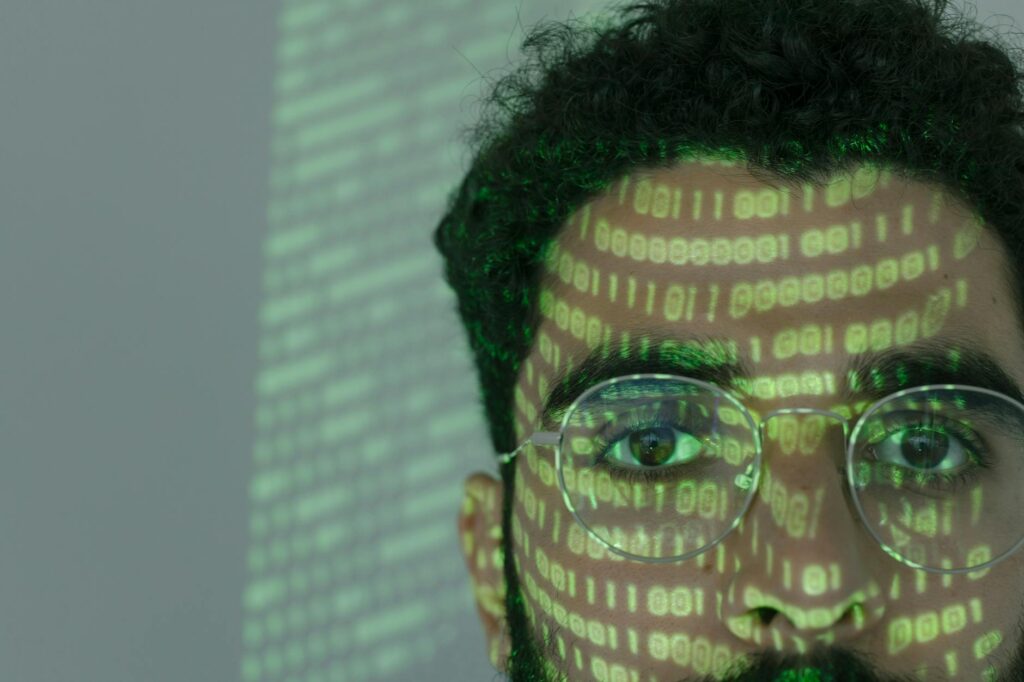
You did everything right. The VPN is on, the ad blocker is loaded, you’re in a private window with the curtains of incognito drawn. And still, somehow, the same advertiser who followed you last week knows it’s you again — not because of a cookie, not because of your IP, but because of something you can’t see and never agreed to: the unique shape of your own browser, broadcasting your identity to anyone who asks. A low-effort upgrade here is switching to an encrypted, filtering resolver like NextDNS, which blocks trackers at the network level before they load.
The short version: Browser fingerprinting identifies you by the measurable quirks of your browser and device — screen size, fonts, GPU, audio stack — and it works straight through a VPN, an ad blocker, and private mode, because none of those touch that layer. Mullvad Browser, built by the Tor Project with Mullvad VPN, defeats it by normalising your fingerprint so every user looks identical, rather than blocking signals (which breaks sites) or randomising them (which is detectable). It’s Firefox-ESR-based, doesn’t route through the slow Tor network, and is designed to pair with any VPN. The catch: you must avoid extensions and accept occasional site friction. For everyday anonymous browsing, it’s the strongest fingerprint resistance available short of Tor Browser itself.
What is browser fingerprinting, and why it defeats most privacy setups
Your VPN hides your IP. Your ad blocker hides ads. Neither hides you. Fingerprinting operates at a layer those tools never reach — one that needs no cookies, no real IP, and no login.
Get the free "Secure Your Accounts in 30 Minutes" checklist by email. You will also get four short follow-up emails over about two weeks (passwords, two-factor, optional tools, a recap). One of them includes affiliate recommendations: if you buy through our links we may earn a commission at no extra cost to you. Unsubscribe in one click, any time.
By subscribing you agree to receive this checklist and a short email series from The Unhacked (Dr. AshR), including affiliate recommendations, at the address you enter. See our Privacy Policy.
It assembles an identity from dozens of signals firing at once:
- Screen resolution and colour depth
- The exact list of fonts your OS has installed
- How your GPU renders WebGL scenes
- The timing signature of your CPU executing JavaScript
- The audio-output characteristics of your sound stack
Any one signal is ambiguous. Combined, they form an identifier often more stable and unique than a cookie — and one that follows you whether you’re at home, in a coffee shop, or routed through a VPN server in Switzerland. Advertisers fold these signals into identity graphs that survive browsing sessions, VPN switches, browser restarts, and private windows. They don’t need certainty: 90% accuracy across a billion-user dataset is still commercially valuable targeting. That’s the part the privacy-checklist crowd misses — your defences guard the front door while fingerprinting walks in through a window you didn’t know existed.
The villain: you’re not being tracked, you’re being recognised
Here’s the reframe that reorganises the whole problem. You’ve been thinking of tracking as something added to you — a cookie planted, an ID assigned, a tag you could in principle delete. But fingerprinting plants nothing. It simply reads what your device already is and recognises you on sight, the way a doorman remembers a face.
You can’t delete your face. You can’t clear it like a cookie or rotate it like an IP. Which means the entire strategy of hiding signals is doomed — block your canvas and the blocking itself is a signal; randomise it and the randomness is detectable as anomalous. The only move that works is the counter-intuitive one: stop trying to be invisible and start trying to be identical — to look exactly like everyone else, so there’s no “you” left to recognise. That single inversion is the architecture Mullvad Browser is built on.
Four fingerprinting techniques that beat standard privacy tools
Canvas fingerprinting renders invisible text and shapes onto an HTML canvas element, then reads back the pixel values, which encode your hardware in near-unique detail. Blocking canvas breaks apps; randomised noise is detectable. The only undetectable answer is making canvas output match everyone else’s — which is why Mullvad normalises it rather than blocking it.
WebGL entropy works at the GPU level. The WebGL renderer string alone — naming your specific graphics card — sharply narrows your identity pool, making WebGL one of the highest-entropy vectors a browser exposes.
Font enumeration reveals your software history. JavaScript or CSS can probe for installed fonts — ones added by Microsoft Office, Adobe, language packs, corporate IT policy — and the specific combination is often unique enough to identify a device across sessions.
AudioContext fingerprinting runs a sine wave through the browser’s audio stack and reads back the characteristics, which differ subtly by hardware and OS. Because this signal is independent of visual rendering, someone who hardened their canvas can still be identified through audio — which is exactly why piecemeal fixes fail.
Why Tor Browser, Brave, Firefox, and privacy extensions fall short
Tor Browser has the strongest anti-fingerprinting posture of any mainstream browser, normalising surfaces aggressively and presenting one identity across all users. The cost: the Tor network is slow, many sites block Tor exit nodes, and media-heavy or real-time pages degrade badly. It’s correct for high-risk risk signal models, not a daily driver for most people.
Brave randomises canvas output, blocks some WebGL entropy, and protects reasonably by default. Its weakness is user heterogeneity: every extension you install increases fingerprint uniqueness, and Brave users install extensions at wildly varying rates. Randomisation also introduces inconsistency rather than normalisation — your fingerprint shifts between sessions, which complicates tracking but doesn’t eliminate it, and some randomisation is itself detectable as anomalous.
Hardened Firefox with a privacy-focused `user.js` can reach strong resistance — if configured correctly, and “correctly” carries enormous weight. The configuration surface is large, settings interact unpredictably, and updates can silently override your preferences. It demands ongoing technical attention.
Privacy extensions alone — Privacy Badger, Canvas Blocker, and the like — block trackers but don’t produce a normalised fingerprint. A browser running six of them has a highly specific configuration that itself feeds uniqueness. Stacking privacy extensions, paradoxically, makes you more identifiable, not less.
How Mullvad Browser actually solves the fingerprinting problem
Mullvad Browser was built by the Tor Project in collaboration with Mullvad VPN. It’s based on Firefox ESR and carries the Tor Project’s anti-fingerprinting patches. Unlike Tor Browser, it doesn’t route traffic through the Tor network — it’s designed to be used with a VPN and focuses entirely on the browser-fingerprint problem.
The core approach is normalisation, not blocking. Mullvad normalises the fingerprint surfaces while leaving network routing to the VPN layer. That trade-off produces a browser meaningfully faster than Tor Browser, with better modern-site compatibility, while keeping the same anti-fingerprinting architecture.
The normalisation mechanisms are specific and verifiable:
- Letterboxing — the viewport is padded to round window dimensions to standard sizes, so screen resolution can’t contribute to uniqueness. Every Mullvad window reports the same rounded dimensions no matter how you resize it.
- Unified User-Agent — all Mullvad users present the same User-Agent string, masking the version differences that normally allow precise tracking.
- WebRTC disabled — WebRTC can leak your real IP even through a VPN if it isn’t disabled. Mullvad disables it by default, closing the most common VPN-bypass vector.
- Canvas normalisation — canvas readback uses the Tor Browser approach, making canvas fingerprinting unreliable without breaking visual rendering.
- Normalised system fonts — the browser reports a standardised font set rather than enumerating your actual installed fonts, eliminating font enumeration as a vector.
- uBlock Origin pre-installed — it ships with uBlock Origin in a default configuration. One specific extension version, configured identically for everyone, contributes to normalisation rather than uniqueness.
That last point deserves emphasis. Mullvad actively discourages adding more extensions, because every addition creates a configuration signal that differentiates your browser from the normalised baseline. The goal is for all Mullvad users to look identical to fingerprinting systems. Any customisation moves you away from that goal.
Installation, verification, and recommended configuration
Mullvad Browser runs on Windows, macOS, and Linux. Installation is straightforward: download the installer from the official Mullvad website, verify the cryptographic signature using the provided key, and launch. No account. No onboarding. Protections are live from the first window.
To confirm protections are working, visit coveryourtracks.eff.org — the EFF’s fingerprinting test tool — which should report strong protection against tracking. The browserleaks.com suite gives more granular verification: canvas should show normalised output, WebGL should show a generic renderer string rather than your specific GPU, and WebRTC should show no IP leak.
For VPN pairing, connect the VPN before launching Mullvad Browser. The browser doesn’t manage VPN connectivity — it assumes the network layer is handled externally. Mullvad VPN is a natural pairing given the shared development, but any VPN that prevents IP leaks works. The default WebRTC disable means browser-level VPN bypass isn’t possible regardless of which VPN you choose.
What you should and shouldn’t do with Mullvad
- Do not install additional extensions. This is the single most important decision — it’s the architectural trade-off the browser is built around.
- Do not modify the User-Agent string. The normalised User-Agent is part of fingerprint-surface reduction, not a cosmetic setting.
- Use it with a VPN for complete coverage. Fingerprint normalisation without IP anonymisation still leaves your identity exposed at the network layer.
- Accept the letterboxed viewport. The grey padding prevents window-dimension fingerprinting; disabling it reopens that vector.
- Keep the browser updated promptly. The Tor Project’s patches respond to evolving tracking techniques.
How Mullvad compares to other privacy browsers
| Feature | Mullvad Browser | Brave | Tor Browser | Hardened Firefox | |—|—|—|—|—| | Fingerprint approach | Normalisation | Randomisation | Normalisation | Blocking/config | | Canvas protection | Yes (normalised) | Yes (randomised) | Yes (normalised) | Config-dependent | | WebRTC blocked | Yes (default) | Partial | Yes | Config-dependent | | Font normalisation | Yes | No | Yes | No | | Tor network routing | No | Optional | Yes | No | | Extension safety | Low — avoid adding | Moderate | Low — avoid adding | Moderate | | Daily usability | High | Very high | Low–medium | Medium | | Setup complexity | Low | Low | Low | High | | Maintained by | Tor Project + Mullvad | Brave Software | Tor Project | Community |
Why adding extensions to Mullvad makes you more trackable, not less
The most counter-intuitive finding in browser privacy: adding privacy extensions to a fingerprinting-resistant browser makes you more trackable.
It follows directly from how fingerprinting works. Mullvad’s defence is making all instances look identical — no unique signals, no distinguishable identity. The moment you install an extension most users haven’t, your browser carries a configuration signal that sets it apart from the baseline. If you’re the only Mullvad user running Privacy Badger plus a dark-mode extension plus a particular password manager, those three become an identifying fingerprint that persists across sessions. The same logic applies to theme changes and any customisation that affects observable behaviour.
This is a genuine usability constraint, named honestly. If you want password-manager integration, preferred themes, or productivity extensions, Mullvad will feel limiting by design. The correct mental model isn’t “a customisable daily browser with added privacy.” It’s a purpose-built instrument for high-anonymity sessions, used alongside a separate browser for logged-in, personalised activity — where the fingerprint question is already moot because you’re authenticated anyway. This two-browser split isn’t a workaround; it’s the intended architecture.
Mullvad Browser scorecard: 88/100
Mullvad Browser earns this score by doing one thing with architectural rigour that no other mainstream browser achieves at its accessibility level: normalising the fingerprint surface rather than trying to block or randomise it. Built by the team behind Tor Browser — the gold standard in fingerprint resistance — it delivers that normalisation in a browser fast and compatible enough for regular use. It falls short of the very top tier because the no-extension constraint is a real usability limit, and site friction on aggressively fingerprint-aware properties is a genuine daily cost.
| Dimension | Score | Reasoning | |—|—|—| | Fingerprint resistance | 95/100 | Normalisation from Tor Project patches is the strongest approach outside Tor Browser itself; coveryourtracks.eff.org consistently returns a strong rating | | Browsing speed | 80/100 | Firefox ESR base performs well; letterboxing and JS protections add minor overhead; far faster than Tor Browser for everyday use | | Site compatibility | 78/100 | Most sites work; some financial services and streaming platforms detect privacy measures; WebRTC-dependent apps won’t function without workarounds | | Setup friction | 85/100 | Installation is simple and protections are active by default; the no-extensions rule requires a mental-model shift and a two-browser workflow | | Sovereignty fit | 92/100 | Free, open source, Tor Project lineage, no account, no telemetry, no data monetisation; purpose-built for anonymity rather than adapted to it |
Which browser should you actually use?
Use Mullvad Browser if: you do sensitive research, need to browse without building a persistent identity profile, want the strongest fingerprint resistance available without Tor network overhead, or already use a VPN and want the browser layer to match its protection.
Use Brave if: you want one browser handling both privacy and daily authenticated use, are comfortable with randomisation rather than normalisation, or rely on a broad extension ecosystem.
Use Tor Browser if: your risk signal model includes nation-state surveillance, your IP itself must stay untraceable, or maximum anonymity outweighs every other consideration.
Use hardened Firefox if: you have the technical appetite to maintain the configuration long-term and want granular control over every aspect of your browser’s behaviour, updates included.
Frequently asked questions
Is Mullvad Browser actually trustworthy?
Yes, within the bounds of what it claims. It’s free, open source, developed by the Tor Project — the most respected name in fingerprint resistance — in collaboration with Mullvad VPN. It requires no account, carries no telemetry, and makes no money from your data. You can verify its protections yourself at coveryourtracks.eff.org and browserleaks.com rather than taking anyone’s word. The honest caveat isn’t about trust; it’s that some heavy-JavaScript and WebRTC-dependent sites break.
Do I still need a VPN if I use Mullvad Browser?
Yes. Mullvad Browser solves the browser fingerprint, not the network layer — it deliberately doesn’t route through Tor, so your IP is still exposed unless a VPN is handling it. Connect your VPN before launching the browser. Its default WebRTC disable means the browser won’t leak your real IP around the VPN, but the VPN is what anonymises the IP in the first place.
Why can’t I just install my usual extensions?
Because Mullvad’s entire defence is making every user look identical, and an unusual extension combination is itself a unique, persistent fingerprint. Install Privacy Badger plus a theme plus a specific password manager and you may become the only Mullvad user with exactly that set — instantly findable. The intended pattern is a two-browser setup: Mullvad bare for anonymous sessions, and a separate, customised browser for logged-in daily use.
How is Mullvad different from Tor Browser?
They share the same anti-fingerprinting architecture and lineage, but Tor Browser routes your traffic through the slow Tor network, while Mullvad Browser does not — it expects a VPN to handle the network layer. The result is a browser that’s much faster and more compatible with modern sites for everyday use, at the cost of not providing Tor’s network-level anonymity. Choose Tor Browser when your IP must be untraceable; choose Mullvad when you want strong fingerprint resistance at normal speeds.
You came here braced for another privacy checklist — another setting to flip, another tool to stack on the pile that already failed you. The real answer is quieter and stranger than that. You were never going to win by hiding harder, because the thing identifying you isn’t something you carry; it’s something you are to the trackers. Mullvad’s move is to dissolve that “you” into a crowd that all looks the same. Install it, run the EFF test, and watch your distinctive fingerprint flatten into the indistinguishable many. That’s the felt shift: you stop being a face the doorman recognises and become, finally, just another person walking through. Un-hacked isn’t louder defences. It’s becoming unremarkable on purpose.
Related reading: Digital Sovereignty: The Unhack Logic of Owning Your Data, Mullvad Browser + VPN: The Paired Stack.
📚 More in Digital Sovereignty →
Free from The Unhacked: Tired All the Time — A Doctor’s Honest Guide — our own guide, free to download.
The Signal - free dispatch
One practical email that makes your digital life calmer. Checklists, tool cautions, plain-English decisions. No noise.
Free. No spam. Unsubscribe any time.
Join the Inner Circle
Weekly dispatches. No algorithms. No surveillance. Just sovereign intelligence.
Zero spam · Fully private · Sovereign by design.