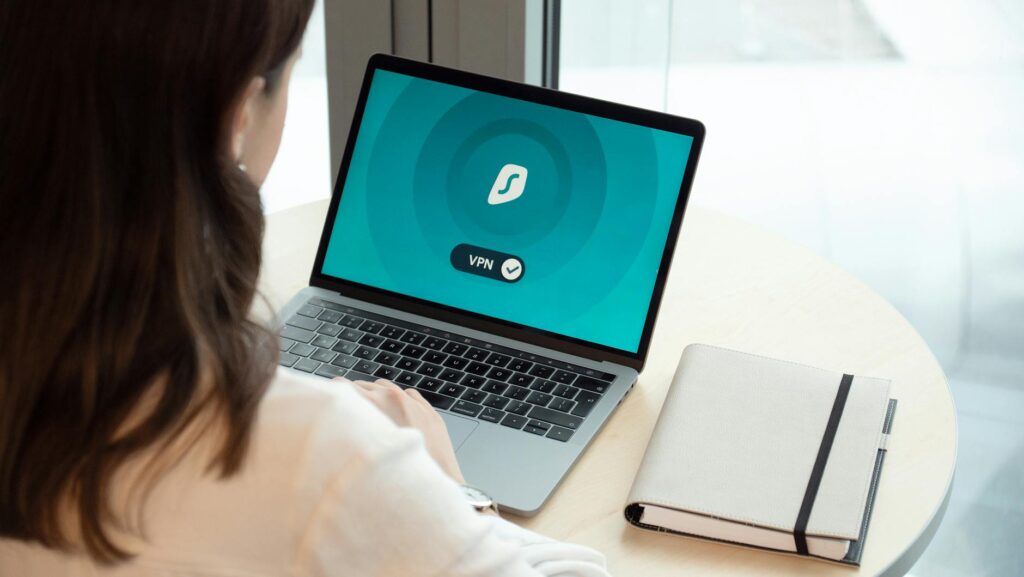
You have somewhere between 70 and 150 online accounts. Be honest about how many unique passwords actually guard them — for most people it’s four or five, reshuffled with a number on the end. Which means one data incident at one forgotten service hands a stranger a skeleton key to your email, your bank, your exchange. You already half-know this. You’ve just been too busy to fix it, because fixing it always felt like a project. It isn’t.
The short version: NordPass is a polished, audited password manager using XChaCha20 encryption, Argon2id key derivation, and passkey support, at $1.49/month for Premium. The catch for a sovereignty-minded user: it’s closed-source, so you’re trusting a third-party audit (by Cure53) rather than inspecting the code yourself. Choose NordPass if you want a clean, affordable commercial product that’s strong on encryption and ahead on passkeys. Choose Bitwarden instead if you need open-source verification or self-hosting. Either one beats reusing five passwords across your whole life — and that, not the brand, is the decision that actually matters.
This audit covers NordPass’s real security posture, who controls your data, what the XChaCha20 choice signals, and whether $1.49 justifies the trade-offs.
Get the free "Secure Your Accounts in 30 Minutes" checklist by email. You will also get four short follow-up emails over about two weeks (passwords, two-factor, optional tools, a recap). One of them includes affiliate recommendations: if you buy through our links we may earn a commission at no extra cost to you. Unsubscribe in one click, any time.
By subscribing you agree to receive this checklist and a short email series from The Unhacked (Dr. AshR), including affiliate recommendations, at the address you enter. See our Privacy Policy.
Why the credential crisis is your problem
Roughly 80% of data incidents involve compromised or weak passwords. The mechanism is dull and brutal: one recycled password leaked in a data incident you never heard about is enough for a credential-stuffing bot to walk straight into your email, your bank, your crypto exchange. The attacker doesn’t need to hack you. They just need to be faster than you at checking whether your old LinkedIn password still opens your Gmail. This is the quiet system that abuses everyone who reuses passwords — an automated machine that harvests one leaked credential and tries it everywhere, milking the reuse you never thought was dangerous.
Browser-saved passwords make it worse. Chrome, Safari, Firefox all offer to remember credentials, and most people say yes. The problem: those stores are tied to your browser account, synced to servers you don’t control, and reachable by any malicious extension or process that gets to local storage. Compromise the Google account and you’ve compromised the entire password history behind it.
Then there’s the case study nobody evaluating a password manager gets to skip: the 2022 LastPass data incident. Attackers reached LastPass’s development environment in August 2022, then used what they found to access third-party cloud storage in November. The result — encrypted vault data for every LastPass user was exfiltrated, and it can be cracked at whatever computing budget attackers care to throw at it, indefinitely. Users with weak master passwords were at immediate risk. Users with strong ones are betting the maths holds under sustained GPU incident, forever.
The closed-source trust problem
Here’s the reframe most reviews skip, and it’s the one that should shape your choice. The question isn’t “is the encryption good?” Almost everyone’s encryption is good now. The real question is who you’re being asked to trust, and whether you can ever check them.
Most password managers — NordPass included — don’t publish their source code. You cannot inspect what they actually do with your data. You extend trust based on marketing, third-party audits, and reputation.
When a company says “zero-knowledge,” it means its servers cannot read your vault. It does not mean the application code has been publicly verified to implement that claim correctly. Those are different assertions. You can’t independently confirm XChaCha20 is implemented correctly. You can’t audit the Argon2id parameters yourself. You’re trusting that the security firm that ran the audit did its job, covered the right scope, and that nothing significant changed in the codebase afterward.
That’s the genuine constraint of evaluating closed-source security software — and it applies to NordPass exactly as much as to any commercial rival. Naming it plainly is the only honest place to start.
What makes NordPass’s encryption actually different
NordPass uses XChaCha20 instead of AES-256. This is a real engineering decision, not marketing theatre.
XChaCha20 is the stream cipher used by WireGuard (the VPN protocol that displaced OpenVPN), TLS 1.3 cipher suites, WhatsApp’s end-to-end encryption, and Signal. It resists timing incidents better than AES-256 because it doesn’t lean on hardware acceleration (AES-NI), so execution time doesn’t vary with input patterns. On devices without AES-NI — older phones, some IoT hardware — XChaCha20 runs faster.
The point isn’t that AES-256 is broken; both are cryptographically sound for a password manager. The difference is what the choice signals: engineers who researched their cipher rather than defaulting to the industry standard because everyone else uses it.
How NordPass protects your master password if the vault is breached
Key derivation is Argon2id — winner of the Password Hashing Competition in 2015 and the current OWASP recommendation. It’s memory-hard, meaning it demands significant RAM to compute, which defeats GPU-parallel brute force.
This is the layer that matters most in a worst case. If NordPass’s servers are breached and vault data is exfiltrated, Argon2id is what stands between an attacker and your master password. Bitwarden uses Argon2id in premium settings; NordPass uses it by default. LastPass defaulted to a single iteration for years — which is precisely why weak LastPass master passwords are being cracked now.
The architecture claim is zero-knowledge: your master password never leaves your device, and Nord’s servers receive only encrypted ciphertext. This was audited by Cure53, a reputable Berlin firm that has also audited Mullvad, Bitwarden, and Firefox. The audit scope and findings are published on NordPass’s website — which is the right thing to do, while still being a published claim rather than open code.
Jurisdiction and sovereignty: what the Panama incorporation means
Nord Security is incorporated in Panama, the same jurisdiction as NordVPN. Panama isn’t part of the Five Eyes, Nine Eyes, or Fourteen Eyes intelligence-sharing agreements. It has no mandatory data-retention laws equivalent to the EU’s, and it isn’t subject to US National Security Letters, which can compel disclosure and forbid notification.
That doesn’t make NordPass immune to legal pressure. It does mean the jurisdictional structure leans more toward user privacy than a US- or EU-incorporated alternative. For a sovereignty-focused read, that’s a material advantage — but it is not the same thing as open-source code you can inspect yourself. Keep the two benefits separate in your head.
Free tier vs. Premium: what you actually get
The free tier stores unlimited passwords, credit cards, and secure notes. The real limitation: one active device at a time. You can install NordPass everywhere, but you can only be logged in on one device at once — so a laptop-and-phone household has to log out of one to use the other.
Premium costs $1.49/month billed annually ($17.88/year) and adds:
- Unlimited simultaneous device access
- Data incident Scanner (checks your email addresses against data incident databases)
- Emergency Access (trusted contacts who can request vault access after a waiting period you set)
- Web vault access without the single-device restriction
There’s no free trial for Premium, but the free tier works as an indefinite evaluation. For genuinely single-device users it’s competitive on its own. For anyone with more than one device — most people — Premium is the realistic choice.
Passkeys: why they matter and how NordPass stores them
Passkeys are FIDO2 credentials — cryptographic key pairs generated on your device that replace passwords entirely. The private key stays on your device or in your vault; the public key is registered with the service; login is authenticated by biometrics or device PIN. No password is transmitted.
Passkeys can’t be phished, because there’s no shared secret to steal. They can’t be breached the way passwords are, because the service never receives the private key. Major services already support them: GitHub, Apple ID, Google accounts, PayPal.
NordPass added passkey storage and autofill before most commercial managers shipped the feature. Storing passkeys in a vault adds one consideration — if your vault is compromised, your passkeys are too — but vault compromise requires your master password, which Argon2id protects. On balance, passkeys-in-vault is substantially safer than passwords-in-browser. The real value: NordPass can be your single credential surface as the industry migrates from passwords to passkeys over the next five to ten years, a transition Google, Apple, and Microsoft have all committed to.
Data incident Scanner: how it works without sending Nord your passwords
The Data incident Scanner checks your stored email addresses against data incident databases, similar to HaveIBeenPwned. It flags which accounts appear in known data incidents and which stored passwords may be exposed.
It doesn’t send your passwords to Nord’s servers to do this. It uses a k-anonymity approach for email matching — the same privacy-preserving technique used elsewhere in the industry. It’s a Premium feature and runs on demand or as continuous monitoring.
Emergency Access: your digital estate plan
Emergency Access lets you designate a trusted contact — a family member, attorney, or executor — who can request access to your vault after a waiting period you configure (0–7 days). During that window you’re notified and can deny the request if you’re still active. Don’t deny it in time, and access is granted.
This is standard estate planning for your credentials, and NordPass’s implementation mirrors what Bitwarden and 1Password offer. The emergency contact needs their own NordPass account.
Platform coverage and how it compares
NordPass runs browser extensions for Chrome, Firefox, Safari, Edge, and Brave; mobile apps for iOS and Android with biometric sign-in via Face ID, Touch ID, or fingerprint; desktop apps for Windows, macOS, and Linux; and a web vault. It imports from LastPass, Dashlane, 1Password, Bitwarden, RoboForm, and generic CSV — a realistic migration path for LastPass users who need to move urgently.
For organisations, the Teams and Business tiers add shared vaults with granular access control (an employee can get view-only access to a credential without ever seeing the underlying password), an admin console for user provisioning and offboarding, SSO via SAML 2.0, and MFA policy enforcement, with access events logged for auditing. For a small business managing shared service accounts, that’s credential hygiene without a dedicated IT team.
Against its main rivals, the shape is clear. On encryption: NordPass uses XChaCha20 + Argon2id; Bitwarden uses AES-256 with PBKDF2 or Argon2id; 1Password uses AES-256 + PBKDF2; LastPass uses AES-256 + PBKDF2 (one iteration for years). On openness: Bitwarden is open-source and self-hostable; NordPass, 1Password, and LastPass are not. On free-tier devices: Bitwarden is unlimited, NordPass allows one, 1Password has no free tier, LastPass is limited. On price: Bitwarden Premium is roughly $0.83/month, NordPass $1.49, 1Password $2.99, LastPass $3.00. On passkeys: NordPass and 1Password ship them, Bitwarden was in beta, LastPass lacked them. On data incident history: only LastPass has the 2022 data incident on its record. Both NordPass and Bitwarden were audited by Cure53 in 2022.
Is NordPass worth it? The honest verdict
Three things genuinely differentiate NordPass. The XChaCha20 choice signals informed cryptographic engineering rather than defaulting to the standard. The passkey support is forward-looking infrastructure for a transition the whole industry has committed to. And the price is almost disorienting: $1.49/month for an audited, passkey-capable manager with unlimited devices is below a streaming upgrade or a monthly coffee.
So, the verdict, stated plainly. NordPass is the strongest commercial choice for someone who wants a polished, affordable, audited manager and doesn’t need the complexity of open-source self-hosting. For maximum sovereignty, Bitwarden edges it on open code and self-hosting. For modern passkey infrastructure and proven encryption at $1.49, NordPass is the best commercial option going. NordPass’s own scoring lands at 87/100 overall — strong on security (91) and value (93), more measured on sovereignty (79) and transparency (76), which is exactly the closed-source trade-off named at the top of this audit. The transparency score reflects a published Cure53 audit and SOC 2 Type 1 certification (Type 1, not the continuous-monitoring Type 2), set against source code that stays private. The passkey bet, meanwhile, tracks the FIDO Alliance roadmap that Google, Apple, and Microsoft have all signed onto. Those numbers are the vendor’s; treat them as a claim, but a self-consistent one.
The trade-off worth naming one more time: a closed-source vault means you cannot personally verify the zero-knowledge claim, and no self-hosting means you cannot fully remove your dependence on Nord’s infrastructure. If that’s a dealbreaker, Bitwarden. If it isn’t, NordPass earns its $1.49.
Frequently asked questions
Is NordPass safe if it’s not open-source?
Its encryption (XChaCha20), key derivation (Argon2id), and zero-knowledge architecture were audited by Cure53, a reputable independent firm, with findings published. That’s strong assurance — but it’s assurance by audit, not by code you can read. If you want to verify the implementation yourself rather than trust an auditor, that specific need points to Bitwarden.
NordPass or Bitwarden — which should I pick?
Pick Bitwarden if open-source verification or self-hosting is a hard requirement, or if you want the lowest price. Pick NordPass if you want a more polished commercial product, the strongest passkey support, and you’re comfortable trusting a published audit. Both are far ahead of reusing passwords or trusting your browser.
What does the $1.49/month actually add over the free tier?
Unlimited simultaneous devices (the free tier allows only one active device at a time), the Data incident Scanner, Emergency Access, and unrestricted web-vault access. For single-device users the free tier is genuinely usable; for everyone else, Premium is the practical choice.
Are passkeys stored in NordPass secure?
Yes. Passkeys can’t be phished and the service never receives the private key. Storing them in a vault means a vault compromise would expose them — but that requires your master password, which Argon2id is designed to protect. The net posture is substantially safer than passwords saved in a browser.
You started this still using five passwords for a hundred accounts, knowing it was a problem you’d get to eventually. “Eventually” is the gap an attacker lives in. Closing it isn’t the project you’ve been dreading — it’s an afternoon of importing your logins and turning on passkeys, after which the next data incident at some service you’ve forgotten about stops being your problem. NordPass or Bitwarden, the verdict is the same: stop being the person whose whole life opens with one stolen password. Become the person it can’t.
📚 More in Digital Sovereignty →
The $1.49 premium plan — XChaCha20 encryption, passkeys, data incident scanner, and emergency access — is what this review analyzed above: strong technical value at a price point that doesn’t require justification. See it →
Affiliate link — if you buy through it we may earn a commission at no extra cost to you. We only recommend tools we’ve independently vetted.
The $1.49 premium plan — XChaCha20 encryption, passkeys, data incident scanner, and emergency access — is what this review analyzed above: strong technical value at a price point that doesn’t require justification. See it →
Affiliate link — if you buy through it we may earn a commission at no extra cost to you. We only recommend tools we have independently vetted.
The Signal - free dispatch
One practical email that makes your digital life calmer. Checklists, tool cautions, plain-English decisions. No noise.
Free. No spam. Unsubscribe any time.
Join the Inner Circle
Weekly dispatches. No algorithms. No surveillance. Just sovereign intelligence.
Zero spam · Fully private · Sovereign by design.